
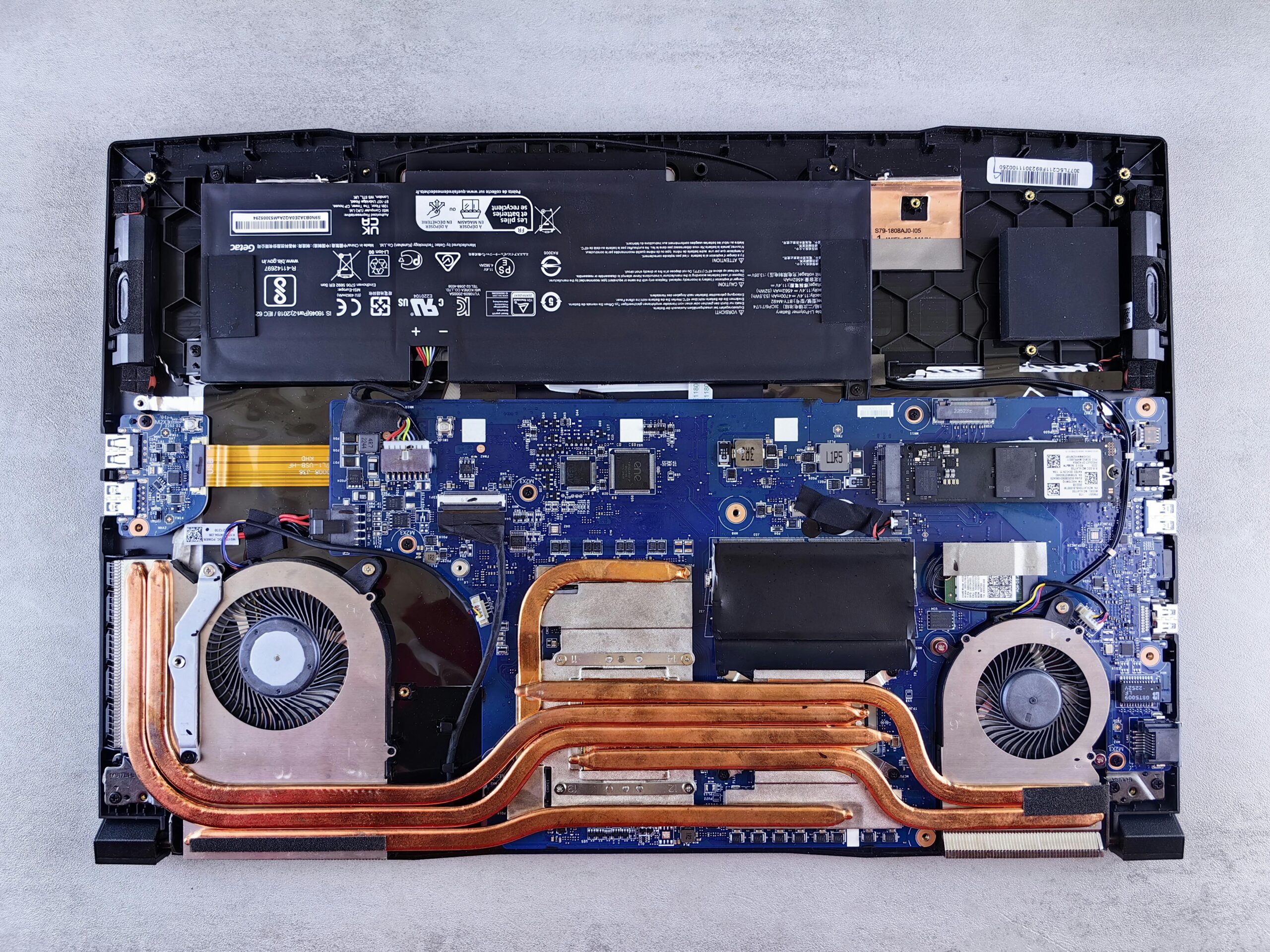
Choosing the right laptop in 2025 isn’t just about looking at the brand or the price — the most crucial decision often comes down to the processor (CPU). The CPU determines how fast your laptop runs apps, handles multitasking, performs heavy tasks, and even affects battery life. With so many options available — from Intel, AMD, and Apple M-series — it can be confusing to pick the right one. This guide will walk you through everything you need to know to choose the best processor for your specific needs, whether you are a student, professional, gamer, or content creator.
Why the Processor Matters in 2025
The processor is the “brain” of your laptop. It affects virtually every aspect of performance:
- Speed and Responsiveness: The CPU determines how quickly your laptop opens apps, switches between tasks, and executes commands.
- Multitasking: A powerful processor allows multiple apps to run simultaneously without lag.
- Battery Life: More efficient CPUs can perform tasks faster and with less energy consumption.
- Compatibility: Some professional software, coding tools, or creative applications require certain CPU capabilities.
- Future-Proofing: Choosing the right CPU ensures your laptop stays relevant for 3–5 years.
In 2025, modern CPUs are not only faster but also include AI accelerators, multi-core performance for multitasking, and power-efficient designs. Choosing the wrong CPU can make a laptop feel slow, even if it has a lot of RAM or storage.
Understanding CPU Basics
Before diving into the specifics, let’s understand some basic CPU terms:
- Cores: A CPU core can handle one task at a time. More cores mean better multitasking and performance in multi-threaded applications like video editing or coding.
- Threads: Threads are virtual cores. CPUs with multi-threading (Intel Hyper-Threading or AMD SMT) can handle more tasks simultaneously.
- Clock Speed: Measured in GHz, higher clock speeds mean faster processing. However, multi-core performance is also crucial.
- Cache: Cache is small, fast memory in the CPU for quick access to frequently used data. Larger caches improve performance in demanding tasks.
- TDP (Thermal Design Power): Indicates how much power a CPU uses. High TDP CPUs perform better but may consume more battery and generate heat.
Major Processor Families in 2025
1. Intel Core (12th/13th Gen and Ultra Series)
Intel continues to dominate the laptop market with a range of processors optimized for different uses.
Strengths:
- Strong single-core and multi-core performance
- Excellent compatibility with most Windows apps
- New “Ultra” series focuses on power efficiency and AI acceleration
Best For:
- Office and productivity
- Programming and coding
- Gaming laptops (i5/i7/i9 H/HX series)
- Multitasking professionals
Tip: Look at full CPU model numbers (e.g., i7-13700H vs i7-1355U). The suffix (H, HX, U, P) indicates performance vs efficiency.
2. AMD Ryzen (5000 / 6000 / 7000 Series)
AMD Ryzen CPUs are popular for their multi-core performance and value.
Strengths:
- Excellent performance in multi-threaded workloads
- Often better value than Intel equivalents
- Energy-efficient U-series for ultrabooks
- Some models include AI/NPU accelerators
Best For:
- Content creators
- Developers and programmers
- Students needing strong multi-core performance
- Gamers on a budget
Tip: The H-series is high-performance, while U-series prioritizes battery life and portability.
3. Apple M-series (M2 / M3)
Apple’s Silicon revolutionized laptops by combining powerful performance with exceptional efficiency.
Strengths:
- Best battery life among modern laptops
- Excellent for creative work (photo/video editing, design)
- Very quiet due to energy efficiency
- Optimized for macOS software
Best For:
- Creative professionals
- Writers and students in the Apple ecosystem
- Developers targeting Apple platforms
Tip: Check app compatibility, especially if you need Windows software. Virtualization or Bootcamp alternatives may be required.
4. Low-Power / Entry-Level CPUs
Both Intel and AMD offer low-power U-series chips for ultrabooks, students, and frequent travelers.
Strengths:
- Lightweight laptops
- Long battery life
- Adequate for browsing, documents, and streaming
Best For:
- Students
- Digital nomads
- Office professionals with light tasks
Limitations: Not suitable for heavy gaming, video editing, or software compilation.
How to Choose the Right Processor Based on Your Needs
Here’s a breakdown of which CPU type suits which kind of user in 2025.
| User Type | Recommended CPU | Notes |
|---|---|---|
| Student / Light Use | Intel i3 U-series / Ryzen 3 / Apple M2 base | Ideal for documents, browsing, streaming; portable and budget-friendly |
| Office / Productivity | Intel i5 / Ryzen 5 / Apple M2 | Smooth multitasking, spreadsheets, video calls, business software |
| Programming / Development | Intel i5/i7 H-series / Ryzen 7 H-series / Apple M2 | Handles multiple VMs, IDEs, compilation tasks efficiently |
| Video Editing / Design | Intel i7/i9 H/HX / Ryzen 9 H / Apple M3 | High multi-core performance, supports heavy creative apps |
| Gaming | Intel i7/i9 H/HX / Ryzen 7/9 H / Apple M3 (for compatible games) | Needs high performance and good GPU; heat management is critical |
| Travel / Battery-Conscious | Intel U-series / AMD U-series / Apple M2/M3 | Long battery, efficient, light-weight; sacrifices some raw performance |
Multi-Core vs Single-Core Performance
- Multi-Core: Important for tasks like video editing, programming, simulations, and multi-threaded apps. More cores = better multitasking.
- Single-Core: Crucial for most everyday tasks and gaming, where individual core speed matters more than the number of cores.
Tip: For most students and office users, mid-range CPUs with 4–8 cores are sufficient. For developers, creatives, and gamers, 6–12 cores or more is ideal.
How CPU Affects Battery Life
Processor efficiency significantly impacts battery life:
- High-performance CPUs (H-series, i7/i9, Ryzen 9) consume more power and produce heat, reducing battery.
- U-series or Apple M-series CPUs focus on efficiency, giving 10–20+ hours battery life in some laptops.
- AI-accelerated tasks may increase CPU usage and drain battery faster.
Tip: Always check real-world battery tests for laptops with high-end CPUs.
AI and Future-Proofing
2025 laptops increasingly include AI-accelerated CPUs, which help with:
- Real-time video and photo editing
- Speech-to-text
- Code optimization
- Predictive workflows in office and creative apps
Future-proofing: Choosing a CPU with AI/NPU accelerators ensures your laptop can handle emerging AI workloads efficiently.
Tips for Comparing Processors
- Check Benchmarks: Look at Cinebench, Geekbench, or PassMark scores to compare real-world performance.
- Review TDP: Higher TDP = more performance but shorter battery and more heat.
- Think About Upgradeability: Some laptops allow RAM or storage upgrades, but CPU is often fixed.
- Check GPU Pairing: For gaming or editing, CPU + GPU balance matters. A strong CPU with weak GPU can bottleneck performance.
- Consider OS: Apple M-series works best with macOS; Intel/AMD are compatible with Windows/Linux.
Examples of 2025 Laptop Processors by Use-Case
Budget Student Laptop
- CPU: AMD Ryzen 3 7320U
- Cores/Threads: 4 / 8
- Best for: Browsing, documents, light office apps
- Battery: ~10 hours
Office / Productivity Laptop
- CPU: Intel Core i5-1345U
- Cores/Threads: 10 / 12
- Best for: Multitasking, Zoom calls, spreadsheets
- Battery: ~12 hours
Creative / Multimedia Laptop
- CPU: Apple M3
- Cores/Threads: 8 P-core + 4 E-core
- Best for: Video editing, design, software development
- Battery: ~14 hours
Gaming / High-Performance Laptop
- CPU: Intel Core i9-13980HX
- Cores/Threads: 24 / 32
- Best for: Gaming, 3D modeling, heavy multitasking
- Battery: ~4–6 hours (plugged in recommended)
Final Checklist When Choosing a Processor
- Identify your primary laptop tasks: work, gaming, content creation, or mobility
- Decide on number of cores: 4–6 for basic, 8–12+ for heavy workloads
- Consider battery life vs performance trade-offs
- Check real-world benchmarks and reviews
- Ensure CPU is compatible with required software
- Think about future workloads — choose AI-accelerated CPUs if possible
Conclusion
Choosing the right processor in 2025 is more important than ever, as laptops have to handle multitasking, creative work, gaming, and AI-enhanced applications. By considering your use case, core/thread count, clock speed, efficiency, battery life, and future-proofing, you can select a CPU that perfectly matches your needs.
Key Takeaways:
- Students: Budget-friendly Ryzen/Intel U-series or Apple M2
- Office professionals: Intel i5/i7, Ryzen 5/7 or Apple M2/M3
- Developers / Programmers: Multi-core high-performance CPUs
- Creative professionals: Intel H-series, Ryzen 9, or Apple M3
- Gamers: Balanced CPU + GPU, high core count, good cooling
With this guide, you’ll be able to confidently choose a processor that maximizes your laptop’s performance, efficiency, and longevity for 2025 and beyond.